Current Users
Welcome to the NIU HPC facilities, which are powerful tools for study and research. The new NIU compute cluster named Metis (also the Greek goddess of good counsel, planning, cunning, and wisdom) was commissioned in September 2023. Metis currently functions as the main computational resource available to CRCD users. To start, please pay attention to the vital information on this page. Specifically,
- the batch job examples for Metis can be copied from /home/examples/examples-metis
- please consult with the "Getting Started" tutorials to optimize PBS job scripts and use Metis efficiently
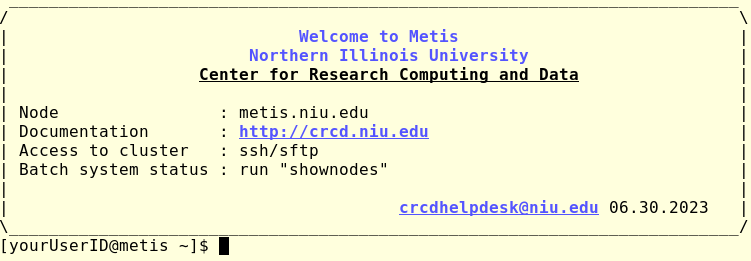
The login node - metis.niu.edu
This node works as a gateway between a user and the rest of the system. This is the only cluster computer accessible from public networks. It is shared between all users and provides tools to run software installed on the clusters and to develop custom applications. While it is powerful, the login node has limited resources and should be used responsibly:
- only run any application interactively for development or testing purposes.
Any production jobs should be submitted via the batch system. We impose a combined limit on the use of the login node resource usage, and any process exceeding 30% of available CPUs or memory will be killed after 30 min of the run time. If more extended interactive tests are necessary, please request an interactive batch system job
Batch system
The PBS batch system manages all compute (a.k.a "worker") nodes. The batch system allows reserving a part of the cluster nodes to run a particular application (a job). The more resources the job requires, the higher the cost of a user mistake:
- always submit several short test jobs before long, massive production runs.
The default unrestricted batch queues on Metis allow 12 jobs to run simultaneously. Additional jobs can be routed (based on the requested walltime, number of nodes and/or processors, etc.) to special queues, allowing more jobs to run. The total number of jobs allowed to run simultaneously on Metis is 512. There are no limits on the number of submitted jobs, which will be scheduled to start when possible. To list available queues, use "qstat -q" command from the login nodes.
Disk space
The accessible disk space is configured to be used as described below -
- /home/$USER - the user's home area, the initial quota is 35 GB. Please keep the smaller files here (documents, configuration scripts, code archives). To obtain information about disk space usage, use the
"quota -s"command from the login node. - /lstr/sahara/$PROJECT/$USER - user's project areas, to store input and output (potentially significant) datasets required or produced via batch jobs. The quota is set via project needs; please discuss the required disk space with us.
Backup policy
Backups are unavailable, but we maintain previous-day snapshots of the /home and /lstr filesystems. Snapshots are not backups: the recovery chances for accidentally deleted files are never 100%, and all deleted files will be gone within a 24-hour window. The best chance of recovering accidentally deleted files is to immediately check the /nfs/ihfs/home_yesterday and/or /nfs/ibkp/metis_lstr_yesterday folders at metis.
We strongly encourage users to use personal GitHub repositories for code development and to frequently backup essential data and results to remote locations.